Send your hiring manager one candidate slate, not six emails
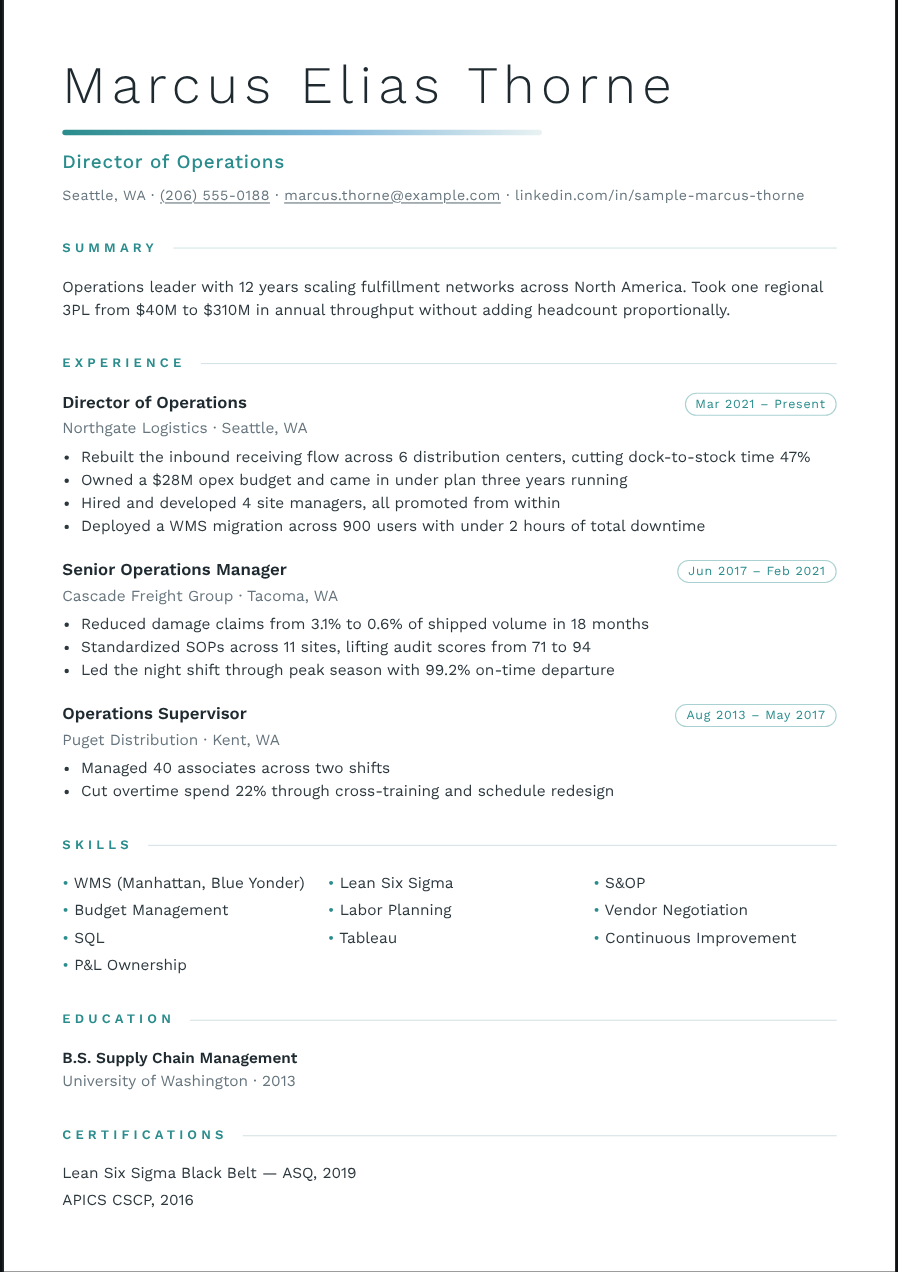
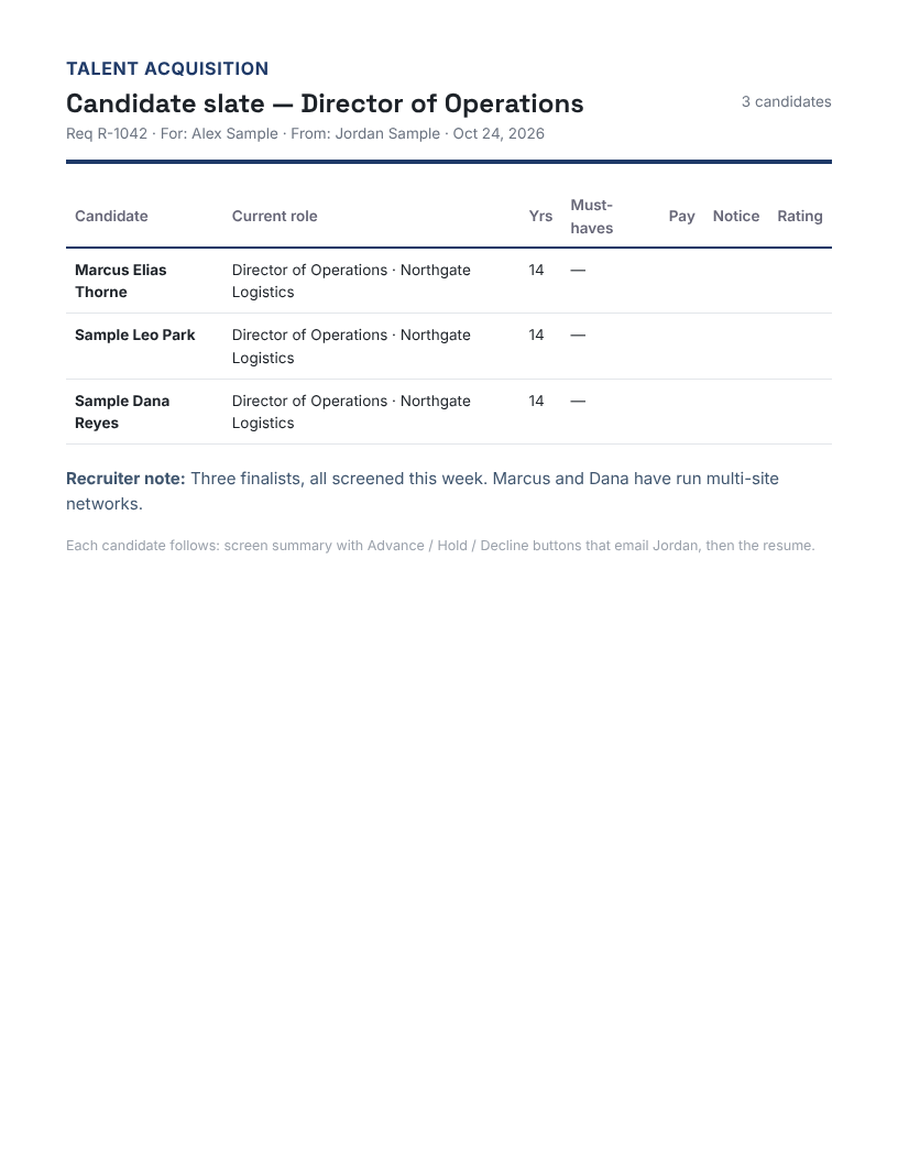
A slate puts your shortlist for a requisition in one file: a side-by-side comparison on the cover, then a screen summary and clean resume for each candidate. The hiring manager decides faster, and you stop chasing replies across threads.
Try it free Browse the formats
How it works
- Pick the requisition. Req number, role and hiring manager — or open it from the requisition’s scorecard.
- Choose the candidates. Tick two to twelve from your roster and put them in order.
- Download or email. One PDF: cover table, then summary and resume for each, with Advance / Hold / Decline on every candidate.
A scorecard behind it
Every candidate is checked against the requisition’s must-haves — met, partly met or missing — so the cover table shows the match at a glance.
Hide pay when you need to
One switch keeps pay expectations off the cover page.
A weekly update in one click
Recast drafts the Friday email for each requisition: how many were screened and sent, and who is waiting on the hiring manager.
Questions
Which plan includes slates?
Studio.
How many candidates can a slate hold?
Up to twelve.
Do candidates need a screen summary first?
No — Recast builds the cover row from the resume; summaries add pay, notice and your take.
More for recruiters
Reformat a candidate resume in 30 secondsRemove contact info from a resume before you submit itConvert any resume to your client’s templateAn editable Word resume that looks exactly like the PDFBlind resumes for clients, in one clickA recruiter screen summary your hiring managers will actually readAn interview guide for every interviewer, built from the resume