Blind resumes for clients, in one click
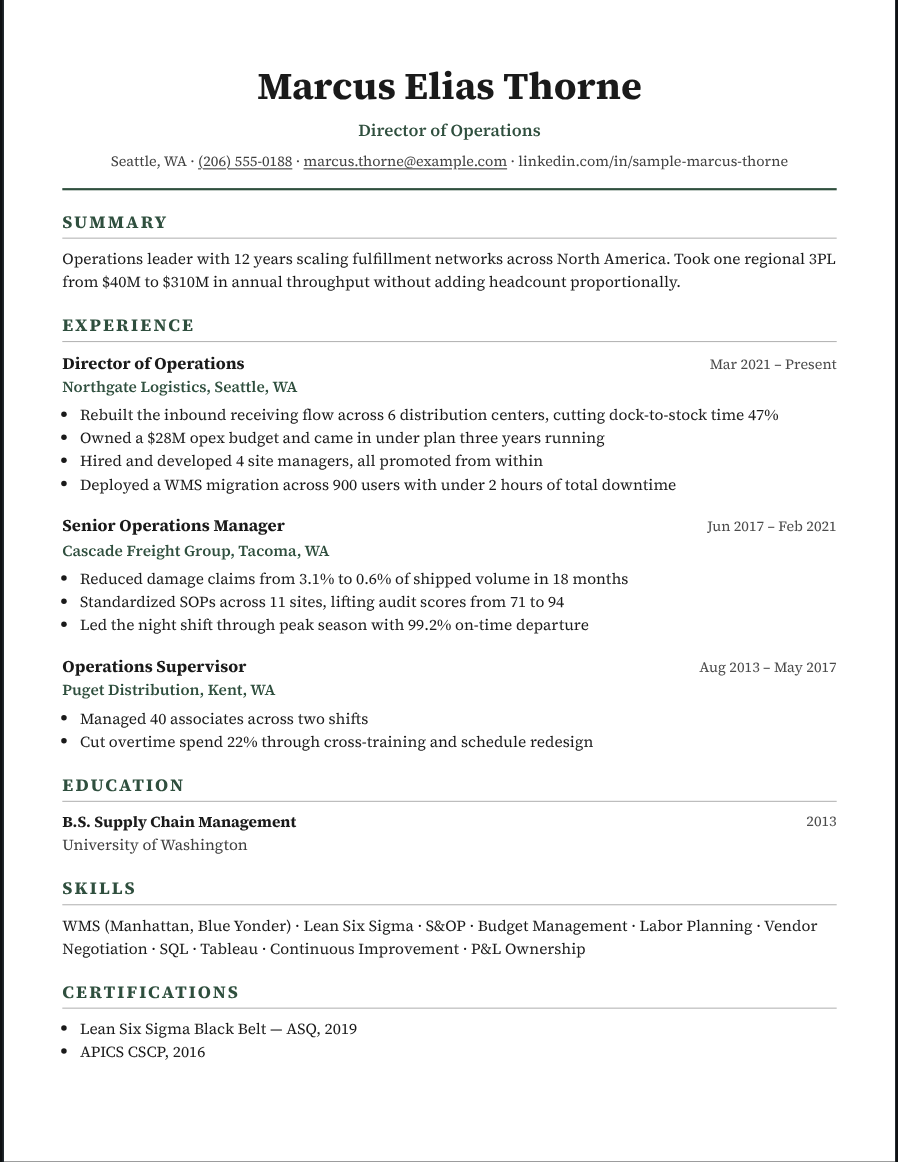
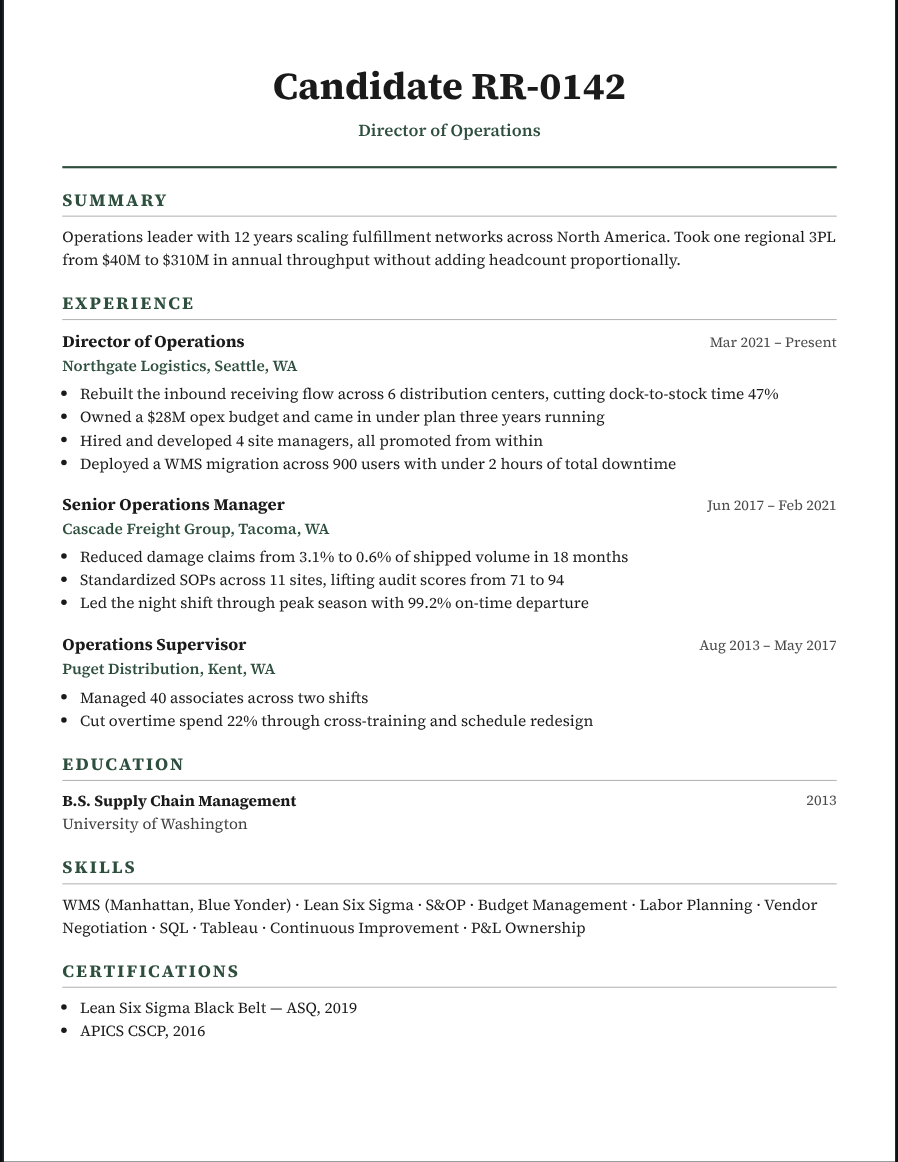
Blind shortlists protect your candidates and your fee, and they help clients judge experience instead of names. Recast turns any resume into an anonymized profile without retyping a word.
Try it free Browse the formats
How it works
- Open the candidate. Import their resume or open them from your roster.
- Turn on blind screening. The name becomes a candidate ID, and contact details are hidden. On Studio you can blind employer names too.
- Send the shortlist. Download blind profiles one by one or as a shortlist pack.
Candidate IDs that stay consistent
Each candidate keeps the same anonymous ID across every client you send them to, so you can track who is who.
Your agency on every page
Studio adds your agency header and logo, so the client calls you, not the candidate.
Private by design
Resumes are processed in your browser and never stored on our servers.
Questions
Can I reveal the candidate later?
Yes. Blinding only changes what you download; turn it off to export the full resume.
Which plans include blind resumes?
Hiding the name and contact details is on Pass and Studio. Employer blinding, candidate IDs and shortlist packs are on Studio.
Does it work on Word downloads?
Yes. Word files are built from the blinded page.
More for recruiters
Reformat a candidate resume in 30 secondsRemove contact info from a resume before you submit itConvert any resume to your client’s templateAn editable Word resume that looks exactly like the PDFA recruiter screen summary your hiring managers will actually readSend your hiring manager one candidate slate, not six emailsAn interview guide for every interviewer, built from the resume